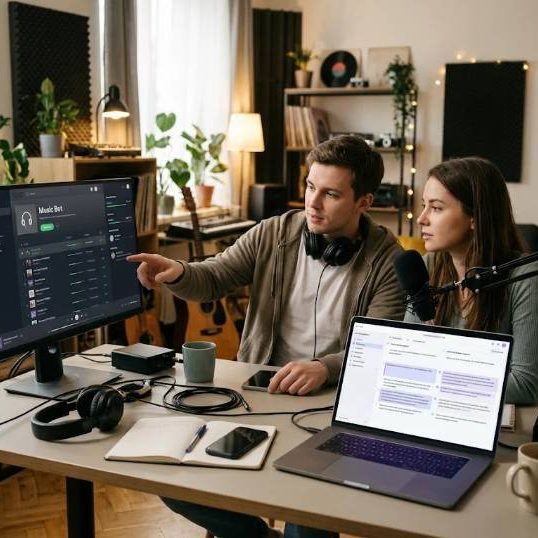
A radio bot plays music in a voice channel all day and all night. Nobody thinks about the bot until a user in Brazil types a command and gets an answer in English. Then the community feels a little smaller. Discord servers are global by default. A bot that speaks only one language leaves people out. This article follows a radio bot from its first command to a fully localized release and shows what developers and server owners should plan along the way.
Why Language Matters for a Music Bot
A music bot is used by people who want to relax. Every confusing message breaks the mood. Commands like play and skip and queue look simple but the replies around them carry tone and instructions. Reports on the platform from Discord show that communities form around shared language as much as shared interests. A bot that answers in the language of the server feels like a member and not a tool.
Separate Text From Code
The first technical step is to move every message out of the code. Put replies in language files with keys and let the bot choose the file by server setting. Avoid joining sentences from fragments because word order changes between languages. Use full sentences with placeholders for names and numbers. This structure lets translators work without touching code and lets you add a new language by adding a file.
Handle Plurals and Numbers
English has one plural form. Other languages have several. A message such as one song added and three songs added needs different handling in Russian or Polish. Use a library that supports plural rules for each language. Format numbers and times with local conventions. Radio bots often show track lengths and queue positions so these small details appear constantly and shape how professional the bot feels.
Treat the Bot Like a Game
Localizing a bot looks a lot like localizing a game. You have short strings and limited space and a playful tone. Studios that use game localization services solve these problems every day. They write menu text that fits and humor that survives translation. A bot developer can borrow the same habits such as style guides and glossaries and context notes for every string. Context is the difference between a clumsy message and a natural one.
Write Strings With Context
A translator who sees only the word queue does not know whether it is a noun or a verb. Add a short note to each string explaining where it appears and what the user sees. Mark the maximum length when the interface has limits. Include screenshots for dashboard pages. These notes take minutes to write and prevent dozens of mistakes. They also make future updates easier because the reasons behind each choice are recorded.
Keep the Tone Consistent
Decide how the bot talks. Friendly and casual or short and neutral. Write a half page guide with example replies. Share it with translators. In some languages a casual tone sounds disrespectful while in others a formal tone sounds cold. Test the voice with native speakers from your community. Many servers have volunteers who gladly help when asked and who know the slang their friends really use.
Use Machine Help Wisely
Developers often use best ai platforms like chatgpt to produce a first draft of each language file. These tools are useful for speed and for rare languages where no volunteer is available. But the output needs a human check. Machines can misread short strings and produce stiff or even funny results. Mark machine drafts clearly and replace them as soon as a native speaker reviews them. Honesty about quality builds goodwill with the community.
Localize the Dashboard Too
The web dashboard where owners configure the bot is part of the product. Translate buttons and tooltips and error messages. Check that long words in German or Finnish do not break the layout. Support right to left languages if you plan to serve Arabic or Hebrew communities. A dashboard that works in the language of the owner reduces support requests and makes setup less intimidating for newcomers.
Test With Real Users
After translation run a beta in a few servers per language. Ask owners to report anything confusing. Watch the logs for commands that fail because users typed them in a local alphabet. Technology press like The Verge often highlights how small usability flaws drive users away from otherwise good apps. Fixing them early protects your reputation and saves you from dealing with angry reviews after a public launch.
Plan Updates From the Start
Every new feature adds strings. Without a process the languages drift apart. Keep a list of untranslated keys and show a warning in the bot console. Set a release rule that blocks new text without a source string. Invite volunteers to a shared channel where they get new strings first. A steady rhythm keeps all languages close to the main version and makes updates feel routine rather than a crisis.
Respect Cultural Differences
Music tastes and holidays and humor differ. A joke about a national holiday may not fit another country. Avoid references that only make sense in one culture. Let server owners customize greetings so that they match their own community. Give them control over names for stations and categories. Flexible bots adapt to many cultures and rely less on the assumptions of their creators.
Where to Start Today
Pick the two languages that appear most among your users. Move your strings into files. Write context notes. Find volunteers or professionals and publish a first version. Collect feedback and improve. This path is realistic for a solo developer and scales as the bot grows. A bot that greets people in their language earns loyalty that no feature list can match.
Document Commands in Every Language
Users learn a bot through its help page. Translate the help command and the examples next to each command. Keep the command names themselves stable so that old habits keep working. Add aliases in local languages when your platform allows it. A listener who can type a familiar word to start a station feels welcome right away and tells friends about it.
Support Channels in Several Languages
Open a support channel for each major language and recruit moderators who speak it. Pin a short guide with the most common fixes. Answer in the language of the question even if the reply is short. People remember who helped them in their own language and often become the most loyal advocates for the project over the following years.